
Food Tech, Payments, Android, Responsive - 2024
POS Checkout System
A checkout system designed to handle complex restaurant payments without slowing service.
Product
Restaurant POS System
Surface
Mobile POS
Fixed POS
Customer-facing display
Constraints
Operational speed
Shared device
Payment hardware
Overview
RockSpoon is a restaurant POS used by servers to manage tables and orders.
Payments also needed to happen on the same device, creating a challenge: integrating checkout into an already busy POS.
The flow had to support two modes: server-assisted payments and guest self-checkout, while coordinating with hardware like card readers and customer-facing displays.
The checkout flow had to support real restaurant payment behavior without making service slower or riskier.

Where payment begins
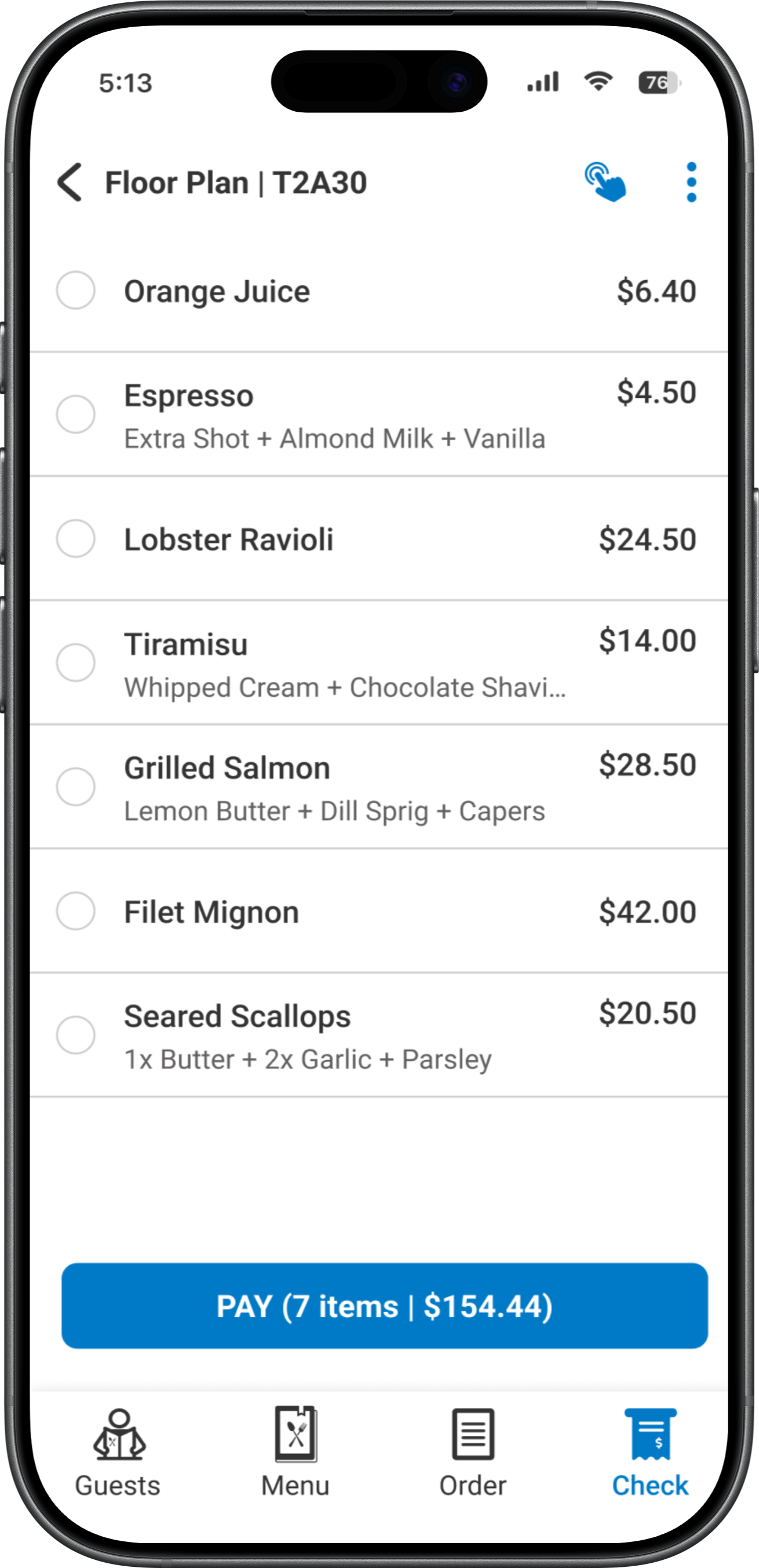
Servers manage seating, orders, and tabs before payment happens. Checkout had to start directly from the table’s open check without forcing servers to leave the ordering context.
Multiple payment scenarios
Restaurant payments are rarely simple. The system needed to support full payments, item splits, amount splits, partial payments, multiple cards, and mixed methods such as cash and card.
Maintaining accurate payment state
Partial payments introduce complexity. After each payment, the system had to clearly track the remaining balance and ensure the check stayed accurate until it was fully settled.
Server-assisted and guest self-checkout
Most transactions were handled by servers, but sometimes the device could be handed to the guest during rush hours. The interface had to support both modes while preventing guests from accessing restricted POS areas.
Hardware interaction
The payment flow also needed to coordinate with card readers and customer-facing displays, guiding guests through actions like tapping or inserting cards, tipping, and confirming receipts.
Speed on the restaurant floor
Servers operate under time pressure. Payment interactions had to remain fast, predictable, and easy to execute without slowing down service.
Servers manage tables,
guests share checks, and orders change until the last minute.
A deliberate trade-off
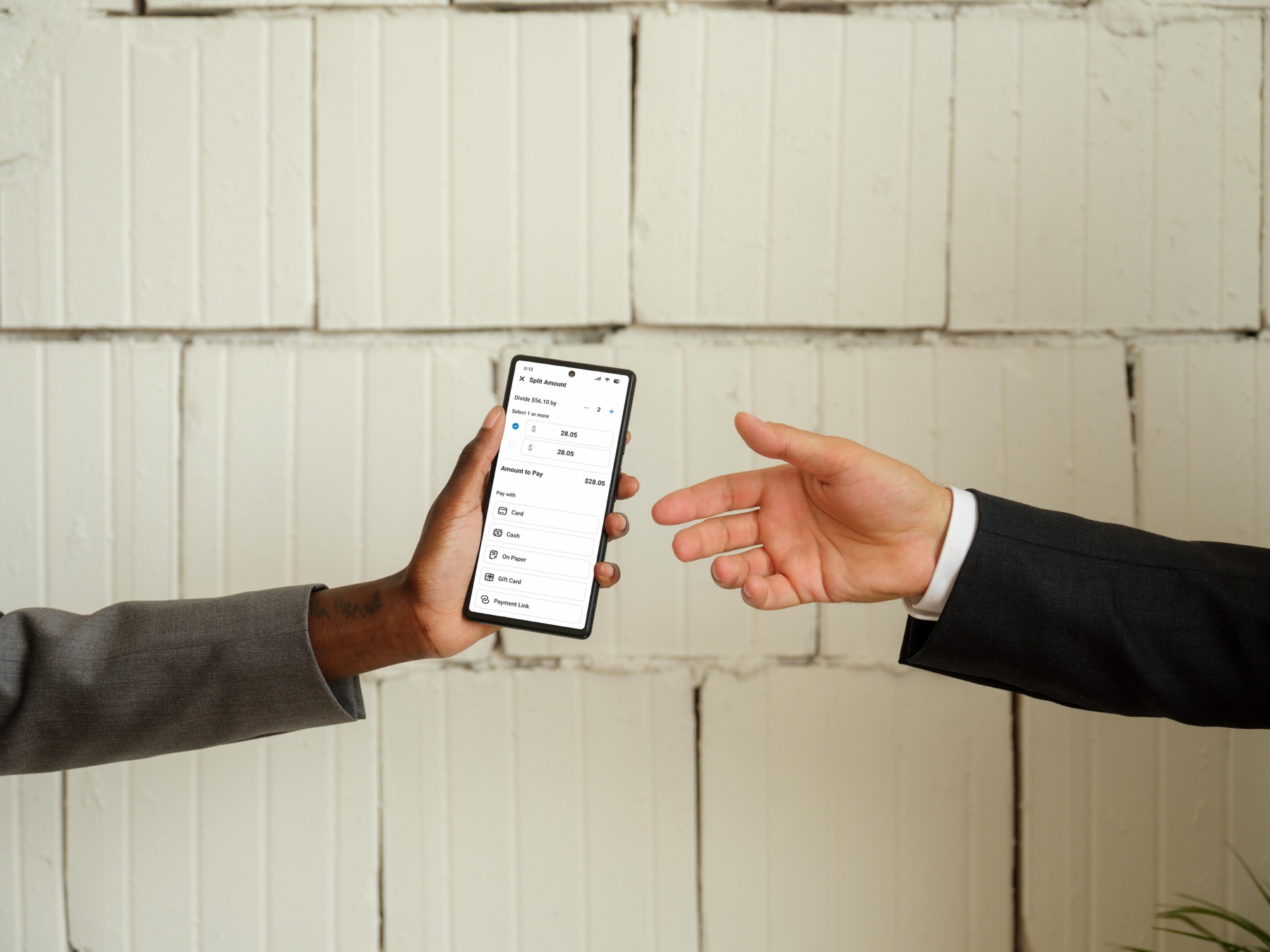
Pressing Pay opens a bottom sheet exposing all available payment paths. Introducing this extra step was intentional. It slightly slows the simplest payment, but unlocks complex scenarios like partial payments, multiple cards, and mixed payment methods.
Protecting the fast path for common payments
Most checks are paid in full. For these cases the flow remains extremely fast: Open check → Pay → Select payment method → Tip → Done.
Flexible splitting mechanics
Servers can split checks by item, split by amount, or move items across checks before completing payment. This supported the unpredictable ways guests choose to divide a bill.
Continuous balance tracking
After every partial payment, the system updates the remaining balance in real time. This ensures servers always know what is still unpaid as multiple guests complete transactions.
Safe guest self-checkout
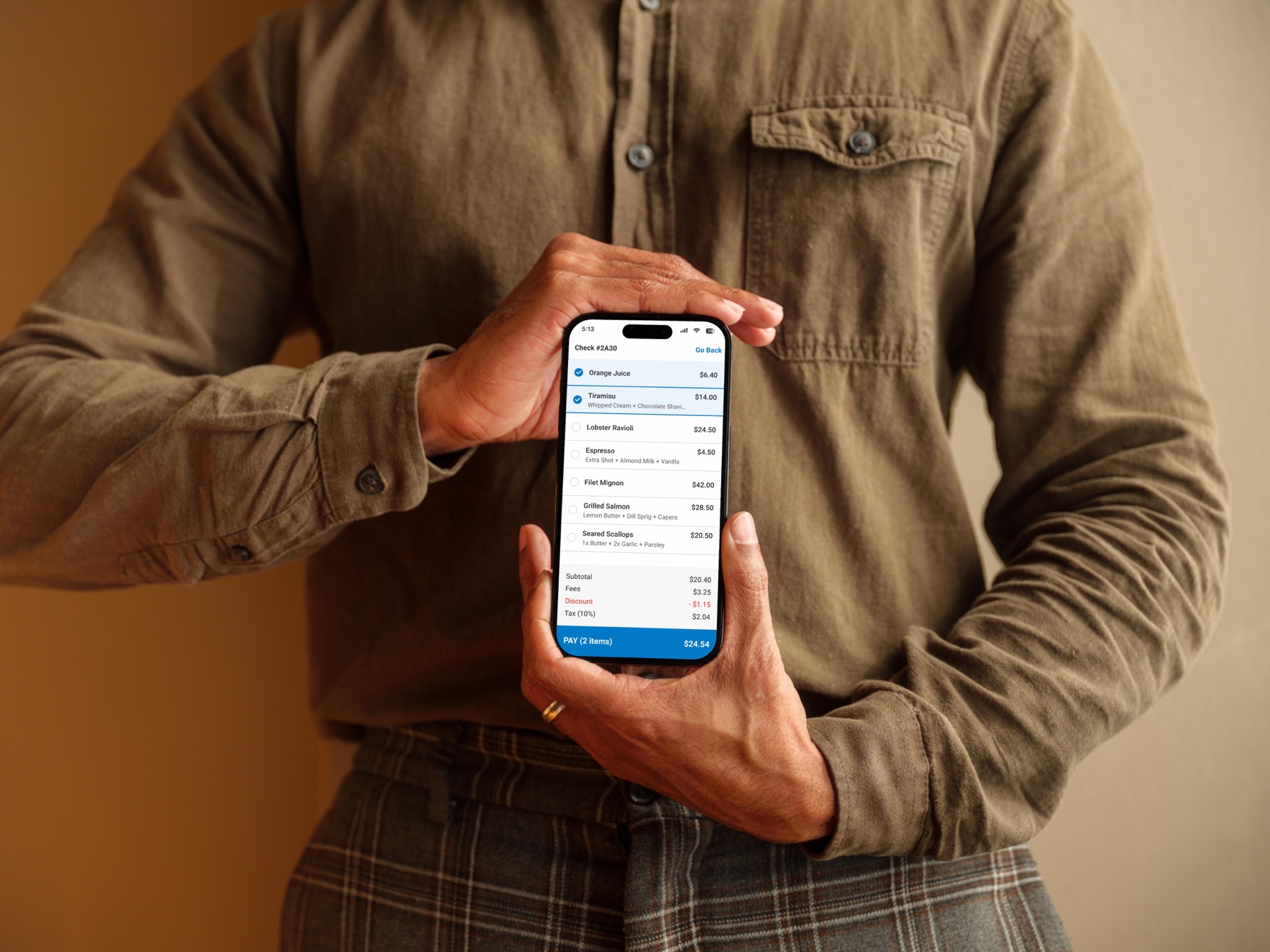
When the device is handed to a guest, the interface switches to a simplified payment view. Guests can review items and pay securely while the rest of the POS remains locked.
A coordinated customer-facing payment experience
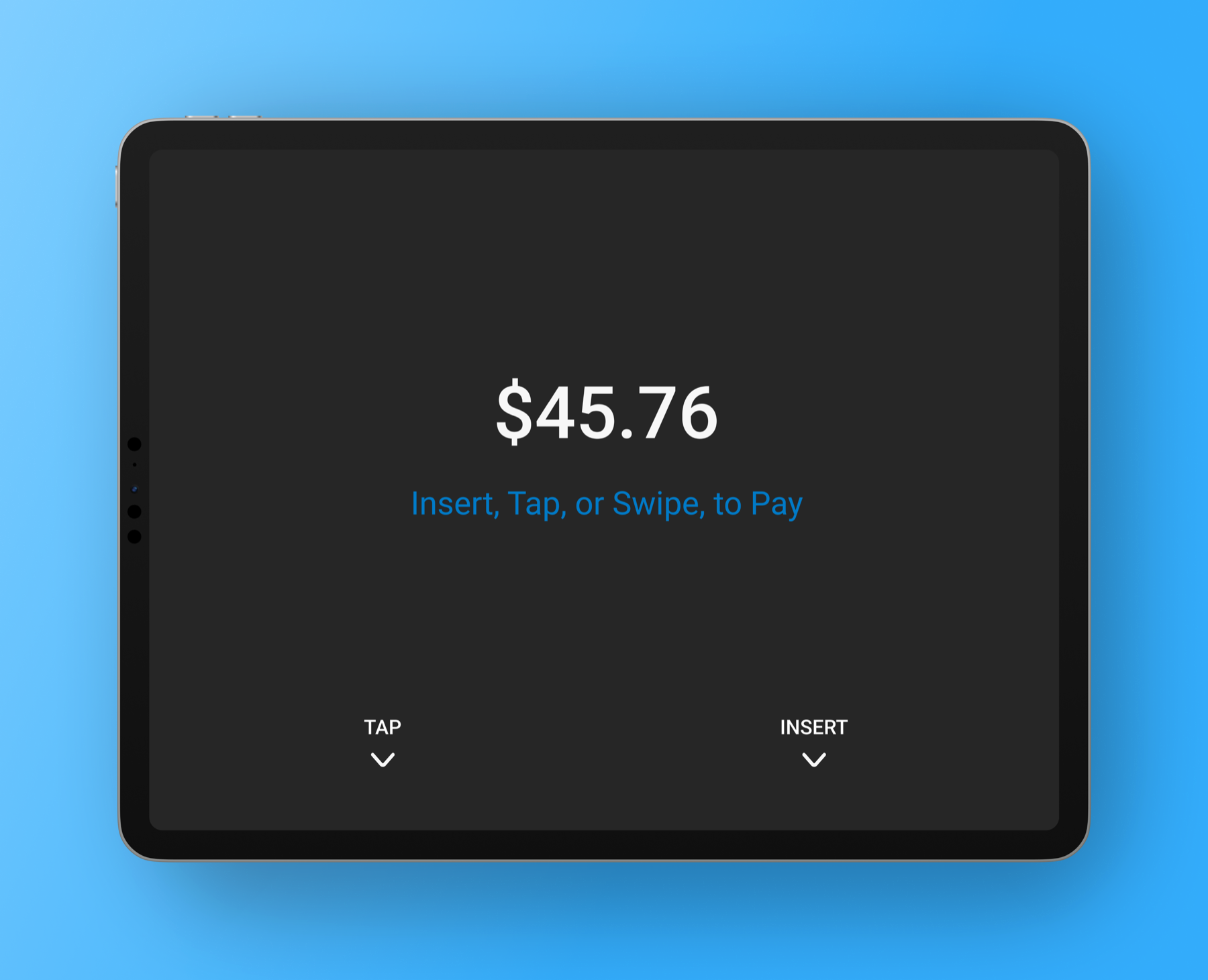
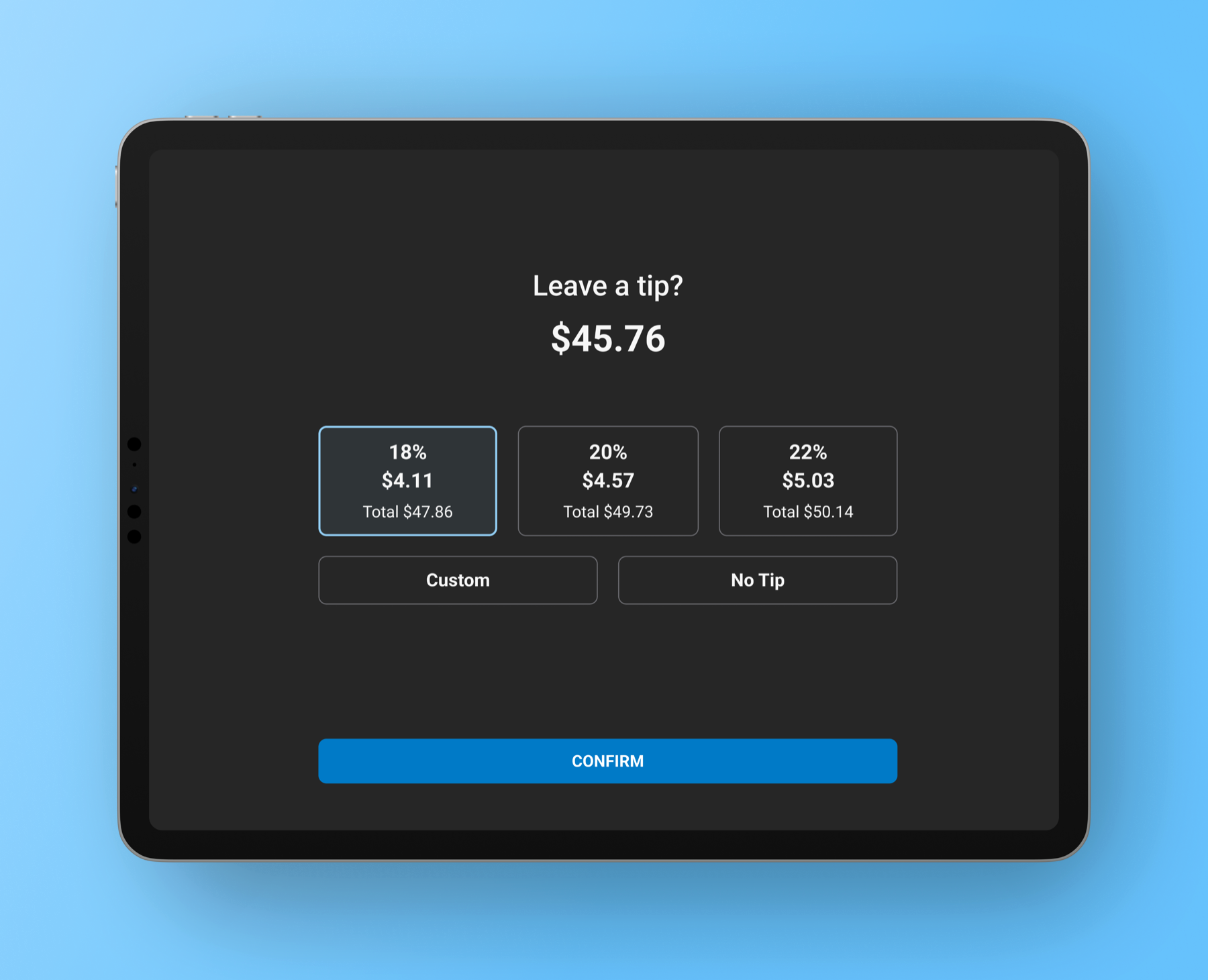
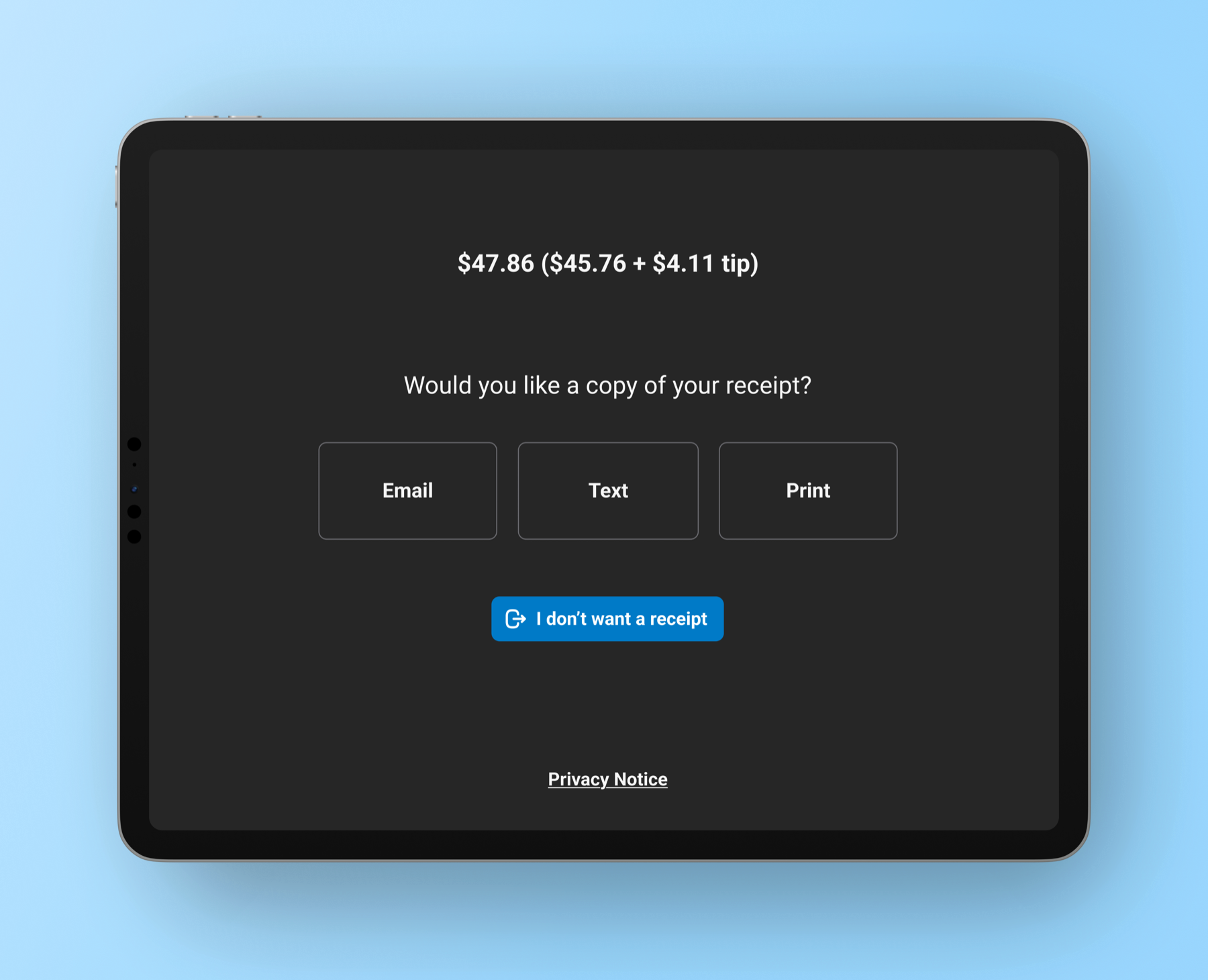
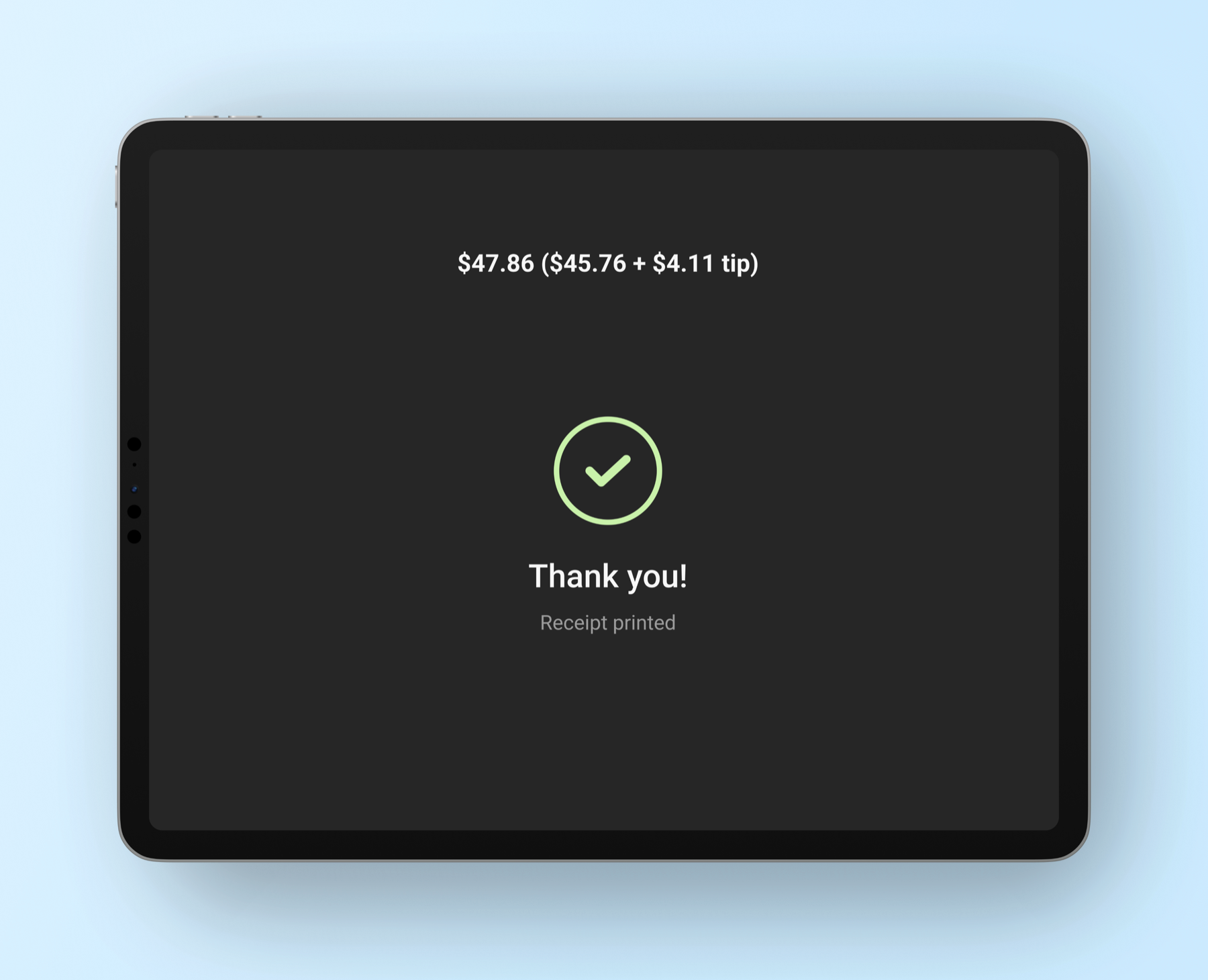
On fixed POS setups, a customer-facing display guides guests through the final payment steps. Guests can see the amount owed, receive instructions to tap, swipe, insert, or scan a QR code, select a tip, and choose how to receive their receipt (text, email, or print). This allows servers to continue working while guests complete the final steps independently.
Mapping real restaurant payment behavior
The payment system was broken down into the actual ways checks are settled in restaurants: full payments, item splits, partial payments, and mixed payment methods.
Modeling the payment lifecycle
The design focused on tracking the payment state of a check at all times, allowing servers to clearly see what had been paid and what remained outstanding.
Designing across multiple interaction surface
The payment experience had to operate consistently across different levels of surface complexity: server POS, guest self-checkout mode, and the customer-facing display.
One table. Three interfaces. Many ways to pay.

Servers could settle checks without improvising
Servers no longer had to improvise how to settle a table when guests requested splits, partial payments, or mixed payment methods.

Complex payments became manageable
The system supports real-world payment scenarios such as item splits, partial payments, multiple cards, and mixed payment methods.

Guests could complete payments independently
When needed, servers could switch the device into self-checkout mode, allowing guests to review their order and pay on the device without accessing POS features.

One payment system replaced fragmented flows
Payment interactions are unified into a single checkout architecture. The POS, guest interaction modes, and payment hardware operate as a coordinated system.
WHAT I'D CARRY FORWARD

Real-world systems are never linear
Designing for payment realities requires modeling the system around actual behavior, not ideal flows.

Simplicity often requires deliberate trade-offs
Good product design often means protecting both simplicity and capability, even if that requires compromise.

Multi-surface systems require role clarity
The design of workflows that span several interfaces, must be clear to prevent the system from becoming confusing or redundant.

Operational software must prioritize clarity
Interfaces must communicate system state clearly so users always understand what has been paid and what remains outstanding.